
Patholator2.1 - Google Play
You'll be able to see results in few seconds.
Publisher Description
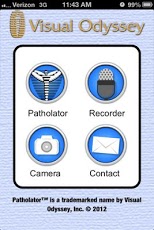
JUNE password: visual-odysseyThe Patholator App is a collection of Wellness and Chiropractic information to keep the Doctor and the Patient up to date on powerful wellness information. This App will be continually improved as new information becomes available. It combines the experience of the Neuropatholator Wall Chart (an electronic demonstrator of the connections among the vertebra, nerves, organs, extremities, muscles and dermatomes made by Visual Odyssey for 35 years) with the ability to correlate whole food based supplements to the organs they help support . This Patholator App is designed for a Doctor to educate their patient with a phone or tablet. Special Note: The spinal and autonomic nerves help regulate and control the function of tissues and organs. These schematic animations of the nervous system and human anatomy are simplified representations of a very complex system. Naturally, there are anatomical variations and neurological overlaps from one person to another. No information or interpretation of any part of this app is to be used as the basis for home treatment. Visual Odyssey does not endorse or represent any particular practice, technique or modality and does not assume medical or legal liability with respect to the use of the information this app contains. Neuropatholator is a registered trademark of Visual Odyssey, Inc. Patholator App is a trademark of Visual Odyssey, Inc.nervous system, chiropractic, neurology, human anatomy, Standard Process, Visual Odyssey
About Patholator
The company that develops Patholator is Visual Odyssey Apps. The latest version released by its developer is 2.1.
To install Patholator on your Android device, just click the green Continue To App button above to start the installation process. The app is listed on our website since 2013-06-14 and was downloaded 0 times. We have already checked if the download link is safe, however for your own protection we recommend that you scan the downloaded app with your antivirus. Your antivirus may detect the Patholator as malware as malware if the download link to com.visualodyssey.patholator is broken.
How to install Patholator on your Android device:
- Click on the Continue To App button on our website. This will redirect you to Google Play.
- Once the Patholator is shown in the Google Play listing of your Android device, you can start its download and installation. Tap on the Install button located below the search bar and to the right of the app icon.
- A pop-up window with the permissions required by Patholator will be shown. Click on Accept to continue the process.
- Patholator will be downloaded onto your device, displaying a progress. Once the download completes, the installation will start and you'll get a notification after the installation is finished.
Program Details
System requirements
Download information
Pricing
Version History
version 2.1
posted on 2013-06-14
version 2.1
posted on 2013-06-14
Several fixes and updates
Disclaimer
Official Google Play Link
We do not host Patholator on our servers. We did not scan it for viruses, adware, spyware or other type of malware. This app is hosted by Google and passed their terms and conditions to be listed there. We recommend caution when installing it.
The Google Play link for Patholator is provided to you by apps112.com without any warranties, representations or guarantees of any kind, so access it at your own risk.
If you have questions regarding this particular app contact the publisher directly. For questions about the functionalities of apps112.com contact us.
